Inventory History
The History page is a complete report to quickly view inventory changes. There is also an audit log of every inventory event — counts approved, waste logged, and manual adjustments made.
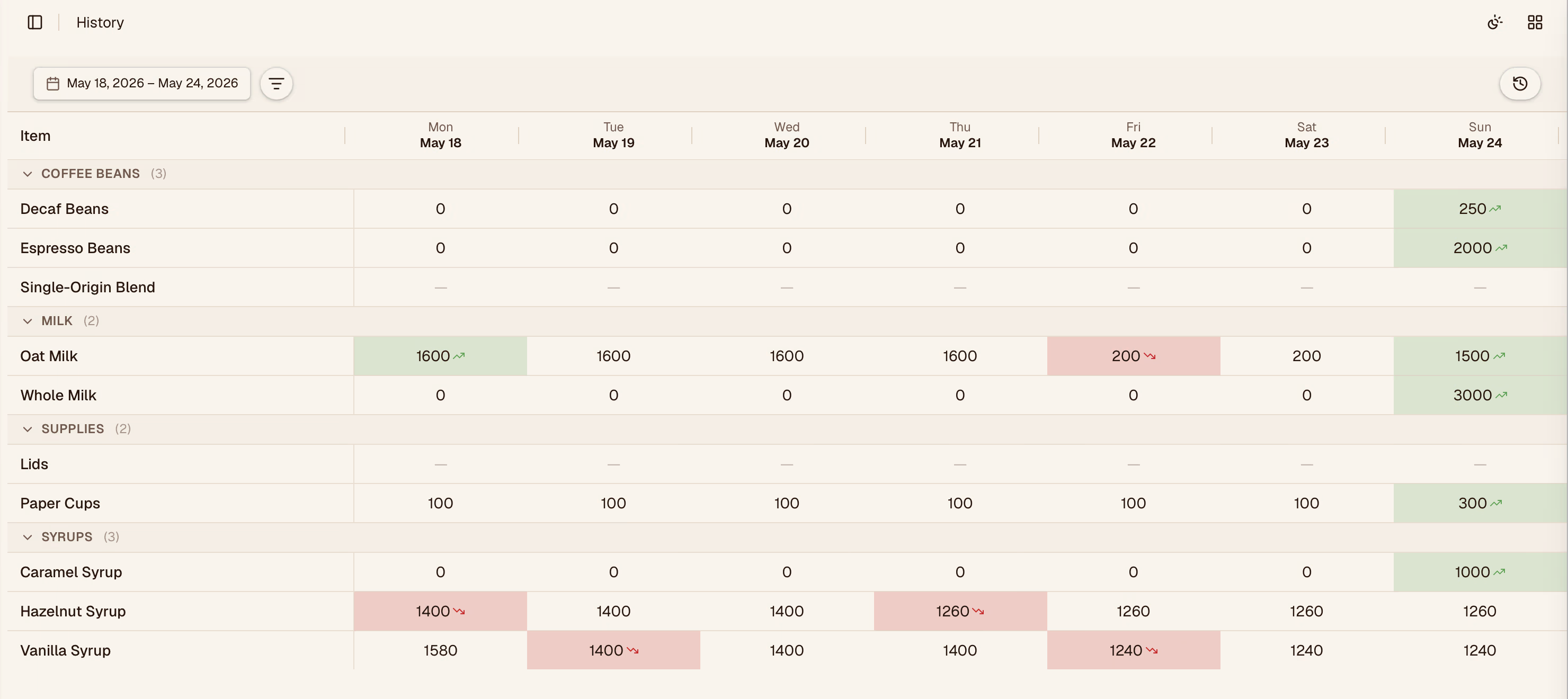
You can preview each item quantity change at a glance in order to understand what is happening with your inventory.

Reading the Log
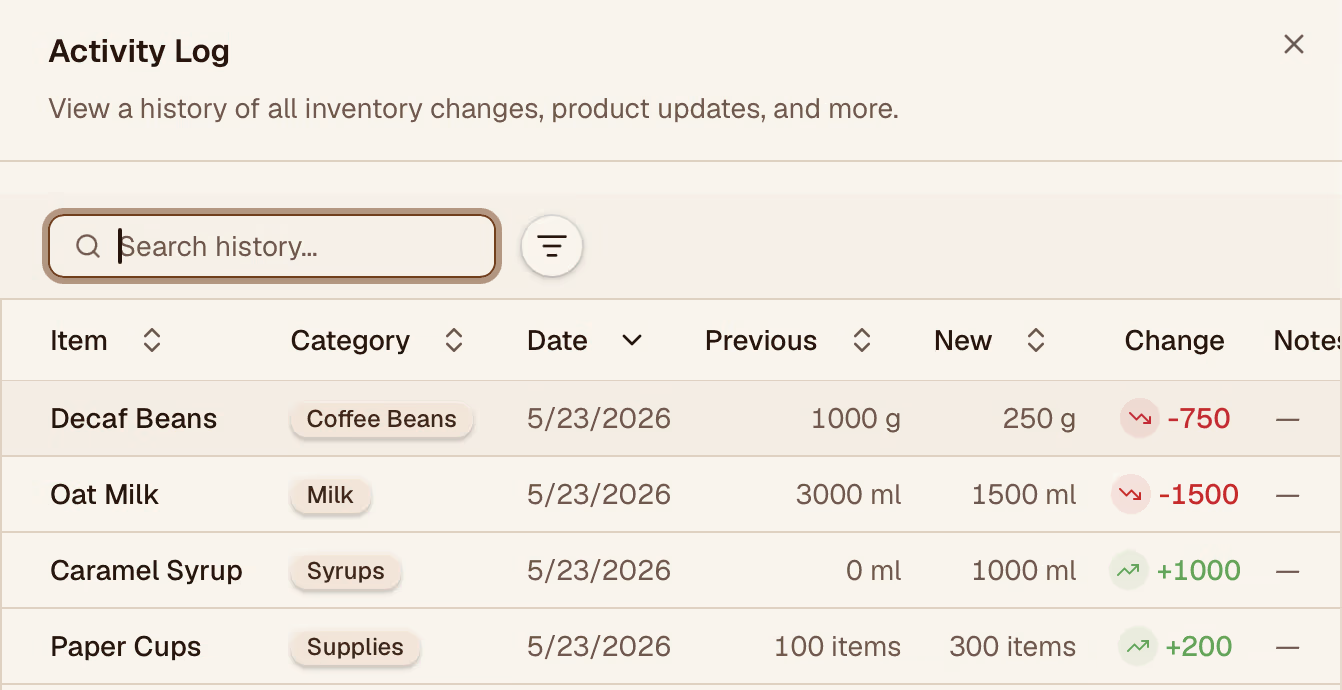
Each row in the log shows:
| Column | Description |
|---|---|
| Date & Time | When the event was recorded |
| Item | The inventory item affected |
| Change Type | What kind of event occurred (see below) |
| Quantity Change | How much the stock level changed |
| User | Who made or approved the change |
| Location | Which location was affected |
Change Types
| Type | What it means |
|---|---|
| Count | A form submission was approved |
| Waste | A waste entry was logged |
| Adjustment | A manual stock correction |
| Initial | The starting quantity when an item was first added |
Filtering
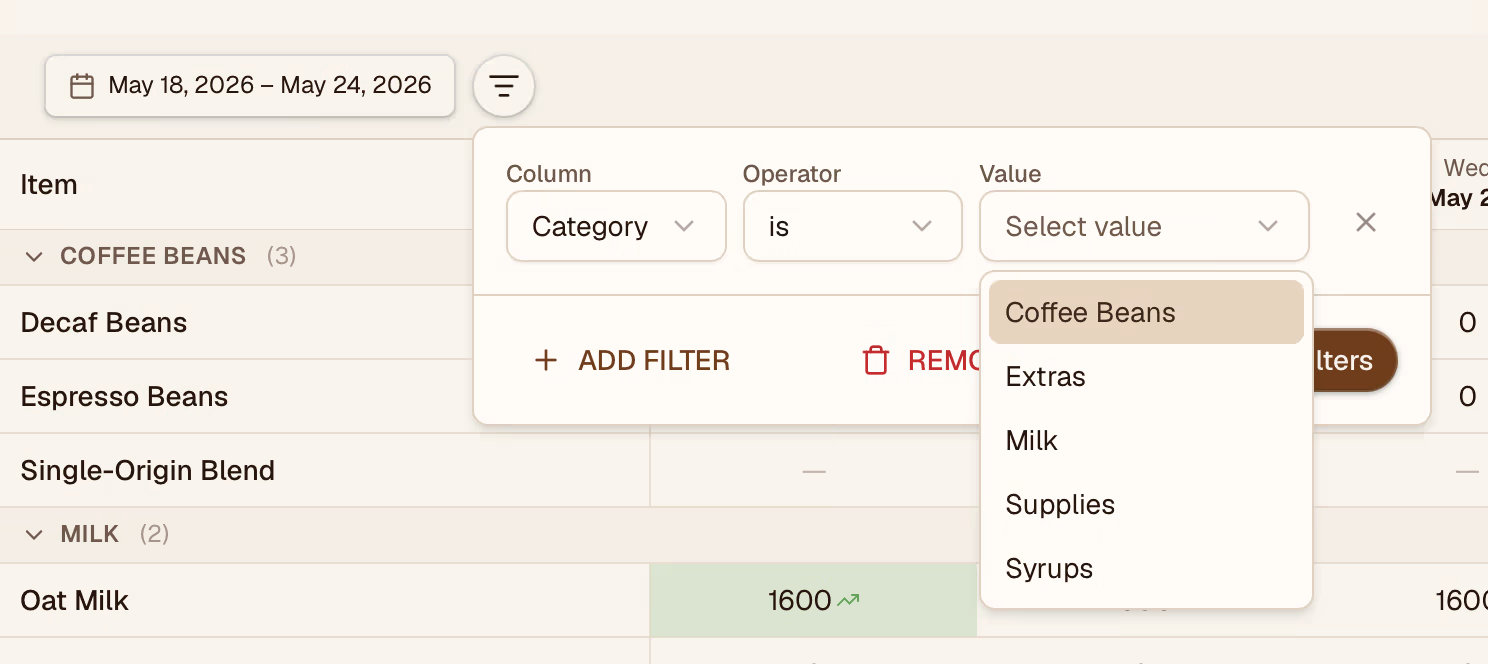
Use the filters at the top to narrow the log by:
- Date range — focus on a specific period
- Item — see all events for one ingredient
- Location — see changes at a specific store
- Change type — show only waste events, only counts, etc.
Exporting
Click Export to download the filtered log as a CSV. Useful for reconciliation, audits, or sharing with your accountant.