Inventory Dashboard
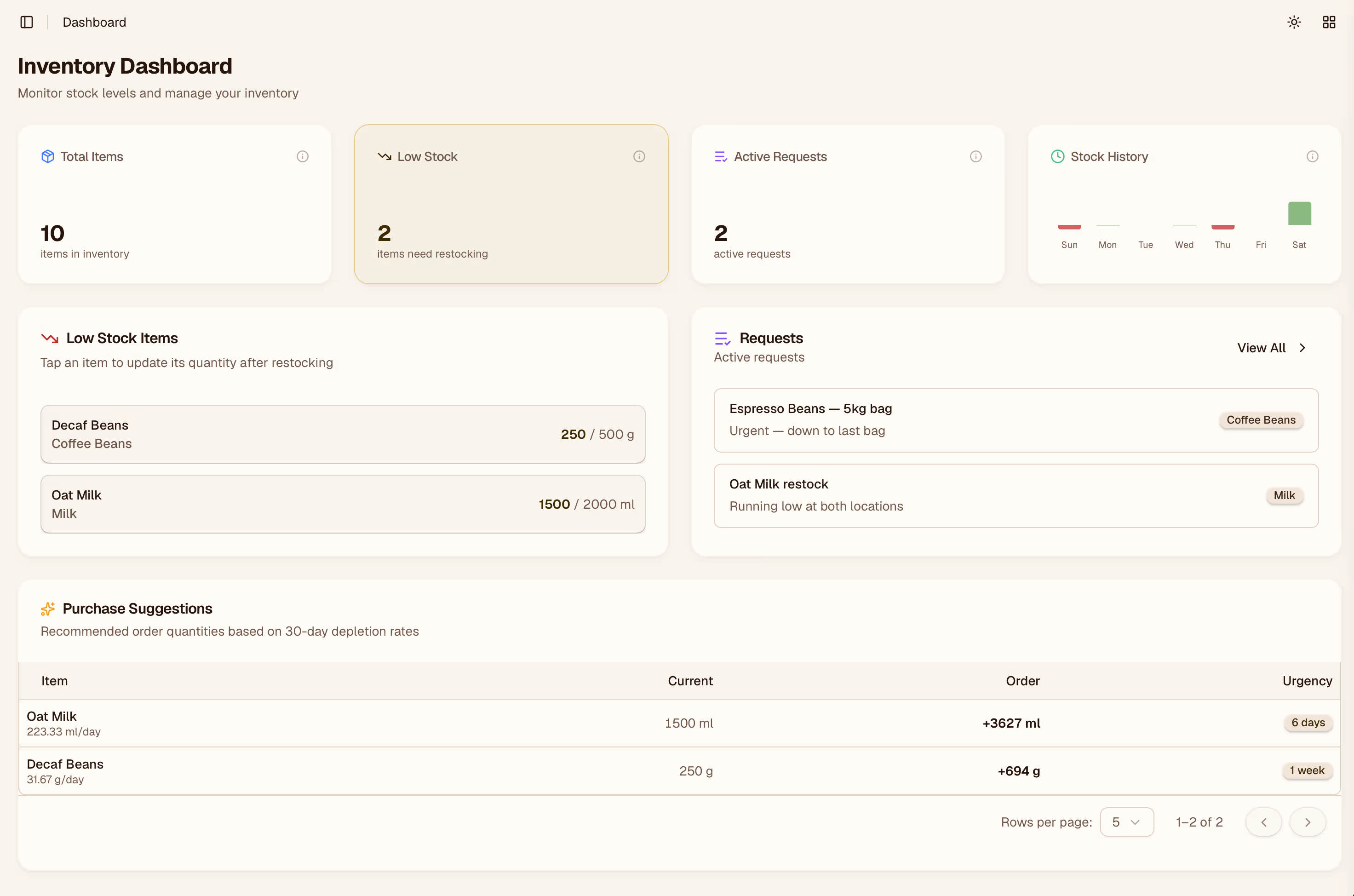
The dashboard is your command center — it gives you a live snapshot of stock levels, pending work, and recent activity across your locations so you can spot problems before they affect service.
Stock Summary

At the top of the dashboard you'll see a summary of total items tracked, how many are in a healthy range, and how many are running low or out. These numbers update in real time as staff submit inventory counts.
Low Stock Alerts

The Low Stock panel lists every item that has fallen below its minimum threshold, grouped by location. Click any item to jump directly to its detail view in the Items page.
Pending Requests

Staff can submit restocking requests from the QR form. The Pending Requests panel shows requests that haven't been reviewed yet. Click Review to approve or decline them from here.
Recent Activity

A running log of the last inventory events — counts submitted, waste logged, and items added. Useful for a quick audit without opening the full History page.
Setup Checklist

If your account is new, the dashboard shows a setup checklist until all steps are complete: adding a location, adding your first items, and creating an inventory form for your team. Each step links directly to the relevant settings page.